Magnetic Switch Sound Test is the quickest “reality check” for a Hall effect switch, because sound reveals stability, lubrication quality, and bottom-out tuning in a way specs alone cannot. From GATERON's perspective, a sound test should always start with a clear product reference.
What a Magnetic Switch Sound Test Really Measures
A Magnetic Switch Sound Test is not just about “nice sound.” It is a structured listening method to judge three practical things: smoothness noise, housing resonance, and consistency across repeated presses. Because Hall effect switches actuate through magnetic sensing rather than metal contacts, the actuation point is not tied to a leaf click or contact snap. That often makes the audio easier to interpret: you mainly hear travel friction, housing vibration, and bottom-out.
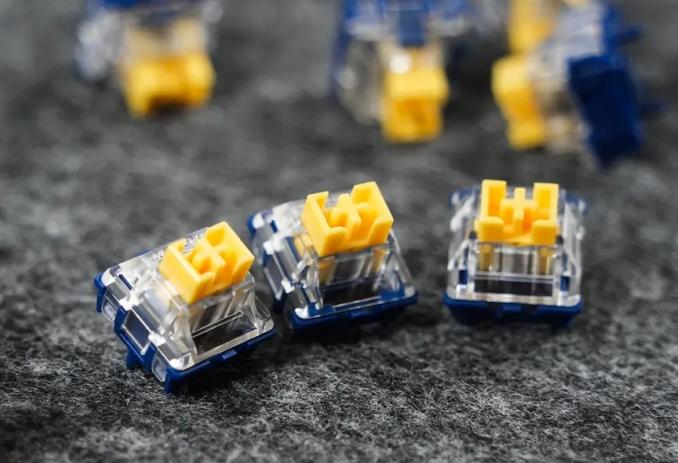
For beginners, that is good news. A clear recording can help you decide faster whether a switch fits your goal—quiet office typing, balanced home use, or a tighter “clean pop” for gaming setups.
Build a Fair Test Setup Before You Judge the Sound
If you want your Magnetic Switch Sound Test to be meaningful, control the variables. The biggest mistake is comparing two recordings made on different keyboards. A keyboard case is an amplifier, and it can completely change what you hear.
Here is a practical, repeatable setup:
✓ Use the same Hall effect keyboard, same plate, and same foam configuration
✓ Use one keycap set for all recordings (keycaps can shift pitch a lot)
✓ Record at the same distance and angle every time
✓ Type three times: light taps, normal typing, and firm bottom-out
✓ Record both single-key presses and a short paragraph (real use matters)
When you do this, the differences you hear are much more likely to come from the switch itself, not from the case or microphone placement.
What You'll Hear and Why: The Four Sound Zones
A useful Magnetic Switch Sound Test listens to a press in four zones. Each zone points to a different cause.
1) Start Of Press (Top-In)
This is where you detect dry friction or “sandiness.” If the first 1–2mm sounds rough, it often indicates insufficient lubrication or a stem/housing pairing that is not optimized for smooth glide.
2) Mid-Travel
Mid-travel should sound stable and even. Random ticks or scraping noises can be a sign of wobble, misalignment, or inconsistent stem guidance.
3) Bottom-Out
This is the “signature” most people focus on: clack vs thock, sharp vs soft, hollow vs tight. Bottom-out is strongly affected by travel length, housing rigidity, and plate/case resonance.
4) Return (Upstroke)
Many buyers forget this part. Upstroke noise can reveal spring ping, stem rebound, or housing echo. A switch that sounds great on bottom-out but noisy on return can be tiring in daily typing.
How Apollo Magnetic HE Is Tuned for Clean Recordings
From GATERON's manufacturing view, a switch should sound consistent because it is built to move consistently. The GATERON × MCHOSE Apollo Magnetic HE Switch Set is a linear magnetic switch designed for Hall effect keyboards, and several design choices show up clearly in a Magnetic Switch Sound Test.
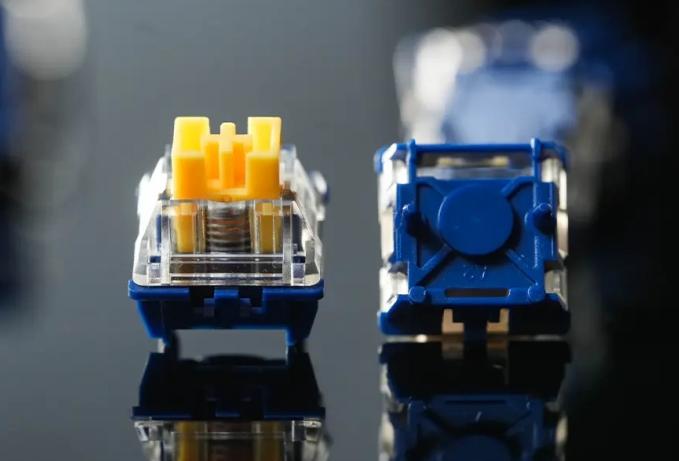
A few key specs help explain what you hear:
✓ Initial Force: 35±10gf — a light start can reduce harsh impact noise when you type gently
✓ Total Travel: 3.1±0.2mm — shorter travel often creates a tighter, more immediate bottom-out
✓ Pre-Lubed: Yes — helps reduce high-frequency scratch and improves recording “cleanliness”
✓ Lifetime: 100 million+ cycles — supports long-term sound consistency, not just day-one sound
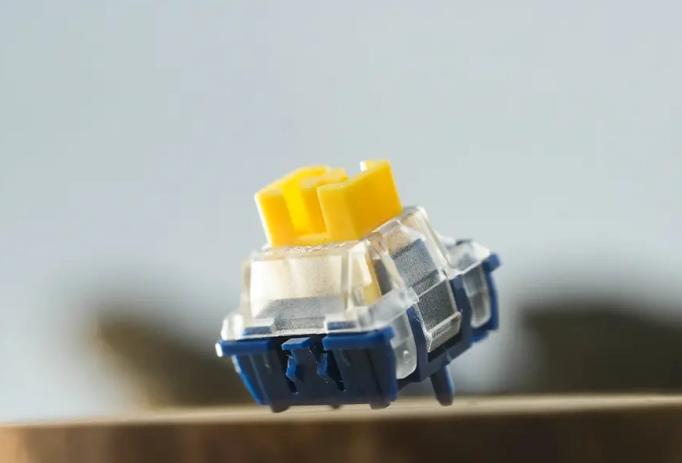
Apollo also uses a frosted transparent PC top housing to enhance light scattering. Visually, this supports RGB diffusion. Acoustically, the top housing still matters because it shapes how vibration travels and how “bright” the sound feels. The nylon bottom housing and POM stem are chosen to support smooth movement and stable guidance, which is exactly what you want when a microphone is close and every tiny friction noise becomes obvious.
Why Stability Changes the Sound More Than Most Specs
If you want to understand Magnetic Switch Sound Test results like a pro, focus on stability. Wobble creates extra side friction, and side friction creates extra noise. In recordings, this can show up as inconsistent tone from press to press.
Apollo includes a dust-proof stem structure and a precision-interlocked stem and rail. For the user, the advantage is practical: during fast repeats or heavier presses, the keystroke stays aligned, so the sound stays more repeatable. This matters for gaming use cases where inputs are rapid and frequent, and it matters for office typing where people want a clean sound without random ticks.
The switch also supports freely set pre-travel (depending on the keyboard's Hall effect settings). For sound testing, this gives you a useful experiment: you can compare “early actuation” vs “deeper actuation” setups and hear how your typing behaviour changes the impact sound and return tone.
How to Use the Test Results to Choose Your Switch
After you run a Magnetic Switch Sound Test, your decision should connect sound to use, not to internet trends. A few simple matching rules help:
✓ If you like a clean, controlled sound, prioritize pre-lubed smooth travel and stable guidance
✓ If you prefer a tighter signature, shorter travel designs like 3.1mm can feel more immediate
✓ If you type lightly, a lower initial force like 35±10gf can help keep sound softer
✓ If you bottom-out hard, pay attention to case and plate tuning, not only the switch
One essential reminder for beginners: magnetic switches are for magnetic (Hall effect) keyboards, not mechanical keyboards. Apollo's magnetic orientation is also important: its N-pole faces down to the PCB, so it fits keyboards designed for downward-facing N-pole magnetic switches. Always check your keyboard before you buy, because compatibility affects not only function, but also the sound and feel you will get in real use.
CTA: If you want to compare sound profiles with confidence, contact GATERON to request Apollo Magnetic HE samples, get compatibility guidance for your Hall effect keyboard model, and discuss supply options for your next build or product line.



