Low Profile Keyboard Switches deliver either a gentle nudge or a crisp kick, and that comes down to bump shape and timing—especially in Banana vs Brown.
1) The Essentials: What "Tactile" Feels Like
A tactile switch gives a noticeable mid-press bump that tells you the switch has engaged. It helps many typists reduce bottoming out, type with more control, and keep a steady rhythm.
With Low Profile Keyboard Switches, the challenge is that everything happens in a shorter space. Travel distance is reduced, so the tactile event must be engineered to feel clear without becoming harsh. A good tactile switch in a low-profile format should still feel:
✓ Predictable (the bump happens consistently on every keypress)
✓ Clean (the bump is defined, not scratchy or vague)
✓ Comfortable (the switch does not punish your fingers during long sessions)
That is why "Banana vs Brown" is such a useful comparison. Both aim for tactile feedback, but they deliver it in different ways.
2) Why Banana Feels More Tactile Than Brown
Many low-profile brown switches are tuned to be subtle. They provide a gentle bump that is easy to live with, but some users describe it as "soft" or "muted," especially on thin low-profile keycaps.
A Banana-style tactile is usually tuned for a more pronounced bump and a heavier press. In real use, that means the tactile event is easier to notice, and the switch feels more decisive under your fingers.
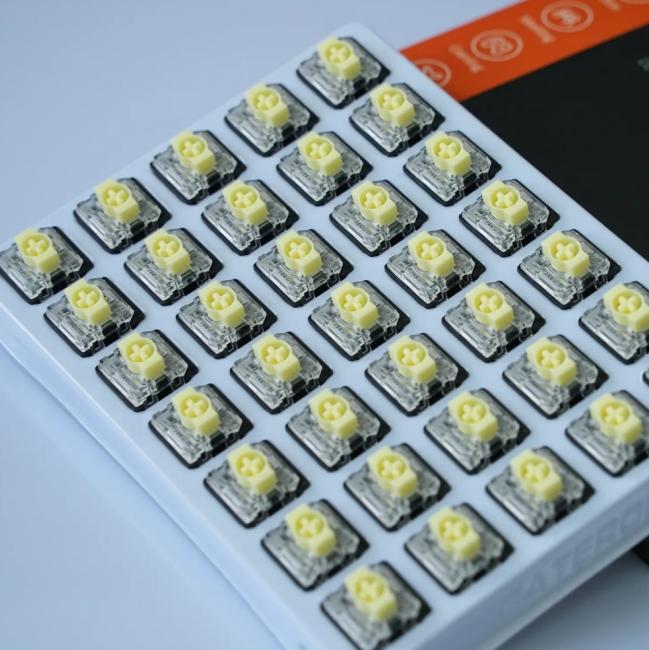
At GATERON, the KS-33 Low Profile 2.0 Banana Switch is designed specifically for that "clear bump" experience. Compared with typical low-profile browns, it is intentionally heavier and more tactile, which many users prefer for:
- Focused typing (you feel each character more clearly)
- Reducing accidental keypresses (a bit more force can add control)
- A "crisper"feedback style that feels closer to a full-height tactile switch
If you are coming from laptop keyboards and want more feedback, Banana often feels like the more obvious upgrade.
3) The Feel Comes From Geometry and Travel, Not Just "Weight"
A common beginner mistake is to judge tactile feel only by operating force. Force matters, but the shape of the tactile event matters just as much. Two switches can have similar force numbers and still feel very different.
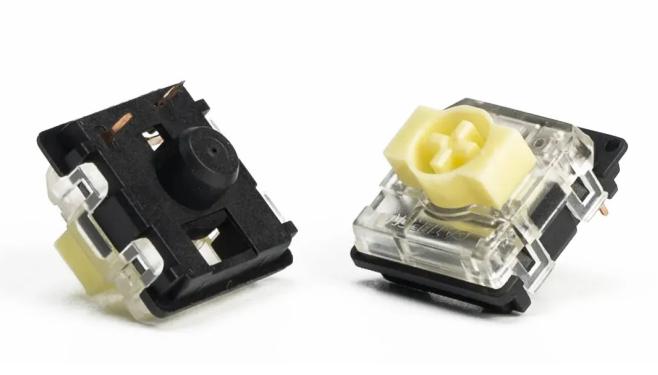
The KS-33 Low Profile 2.0 Banana uses a low-profile travel structure that balances speed and clarity. In the given spec, the switch has:
- Operating Force: 60±15 gf
- Pre-Travel: 1.7 mm (with tolerance)
Here is how that translates into real typing:
✓ Shorter pre-travel can make the switch feel responsive because the tactile moment arrives relatively early.
✓ 3.0 mm total travel keeps the low-profile speed advantage while still leaving enough room for a defined bump and a controlled bottom-out.
✓ A heavier operating force range can make the bump feel more "present," especially if you type lightly.
So "Banana vs Brown" is not only about heavier vs lighter. It is about how quickly the bump shows up, how clearly it is shaped, and how stable it feels across repeated presses.
4) Materials Matter: Smoothness, Sound, and Long-Term Consistency
In Low Profile Keyboard Switches, small friction changes can be felt more easily because the travel is shorter. That is why materials and surface feel matter.
The KS-33 Low Profile 2.0 Banana is built with a combination chosen for smooth motion and stable housing:
- Top Housing: Transparent PC
- Bottom Housing: Black Nylon
From a user standpoint, these choices are not "just specs." They support practical benefits:
✓ POM stem is widely used for smooth movement, which helps the tactile bump feel crisp rather than rough.
✓ PC top housing (transparent) supports clean light diffusion, and it also helps maintain a precise fit.
✓ Nylon bottom housing is known for durability and stable structure, which helps keep the switch feel consistent over time.
If you want tactile feedback that stays predictable after long use, housing stability becomes part of the tactile experience.
5) Pre-Lubed And SMD LED Support: Small Details That Change Daily Use
Many first-time builders underestimate how much "factory feel" affects their satisfaction. A tactile switch can have a good design, but still feel dry if friction is not managed.
The KS-33 Low Profile 2.0 Banana is pre-lubed, which is meant to reduce scratchiness and improve smoothness right out of the box. For many users, this means:
✓ Less need for extra tuning at the start
✓ A smoother bump that feels "clean" instead of gritty
✓ More consistent feel across a full set of switches
It also supports SMD LEDs, which is important for modern low-profile boards with backlighting. If you use RGB or simple white backlight, SMD compatibility helps you avoid uneven lighting or fit issues.
Finally, the switch uses a 3-pin design. For beginners, this can make installation straightforward on compatible hot-swap or solder boards, while keeping the structure clean and stable.
6) How to Choose Banana vs Brown, and What to Do Next
If you are deciding between Banana and Brown in Low Profile Keyboard Switches, it helps to match the feel to your real habits.
Choose Banana-style tactile if you want:
✓ A more noticeable tactile bump
✓ Heavier, more controlled keypresses
✓ A crisp "confirmation" feeling for typing
Choose Brown-style tactile if you prefer:
✓ A gentler bump with less resistance
✓ A softer, more relaxed typing feel
✓ Easier presses for very light fingers
At GATERON, we built the KS-33 Low Profile 2.0 Banana for users who want tactile feedback that is clearly felt in a low-profile layout—without giving up smoothness or modern features like SMD lighting support.
CTA: If you are upgrading a low-profile keyboard and want a tactile switch that feels more decisive than standard low-profile browns, consider testing the GATERON KS-33 Low Profile 2.0 Banana Switch Set in a small batch first. Try it on your most-used keys (letters, spacebar, backspace). Once you feel the bump style in real typing, choosing the right switch for a full build becomes much easier.



